Inside Intelo.
A short tour of the screens Intelo.ai's Agent Teams run inside live retail organizations today, from the merchant workspace to replenishment, allocation, MFP, and demand forecasting.
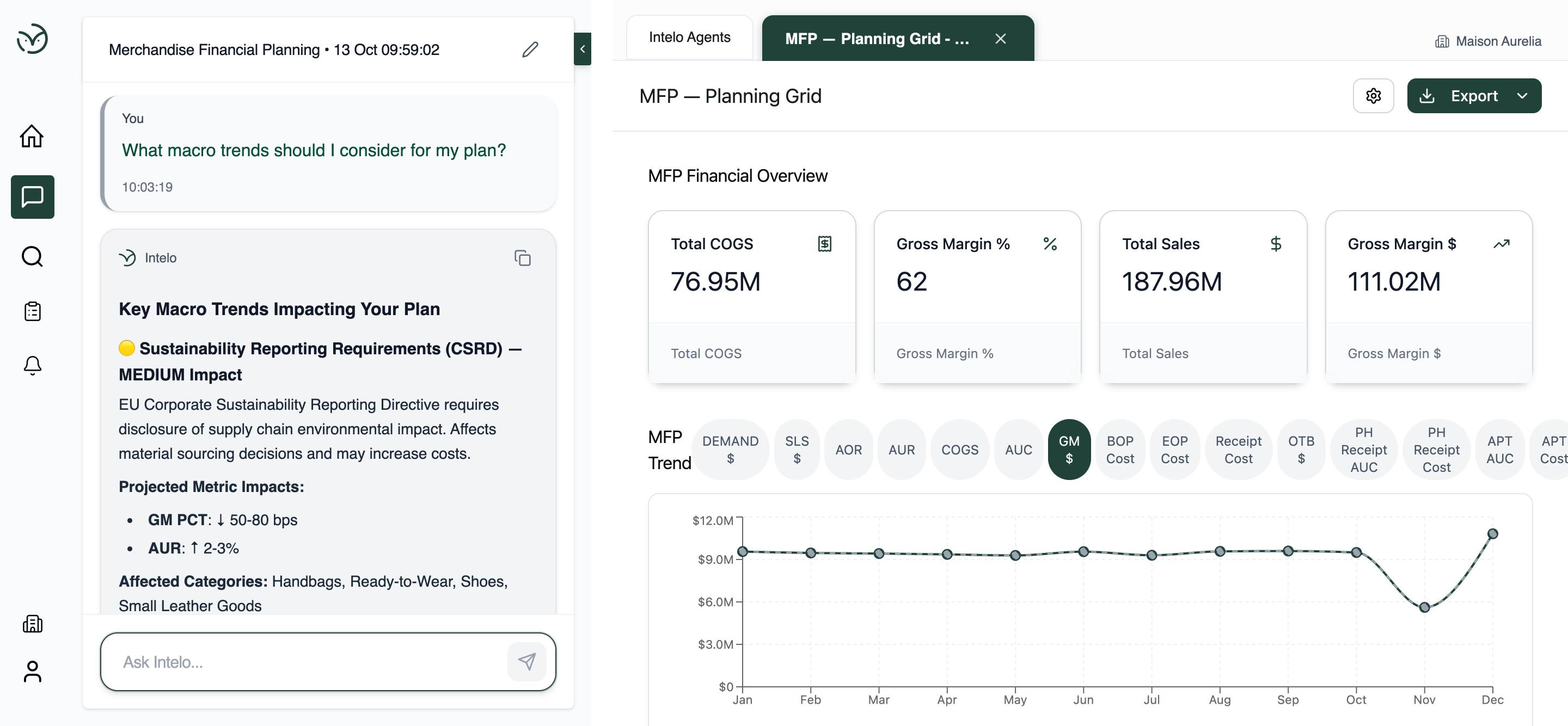
Agents reason alongside planners.
The merchant workspace is a conversation layered on top of the plan. A planner asks a question in plain language. The agent answers with a structured recommendation, projected metric impacts, and the affected categories, all pinned to the live MFP view on the right.
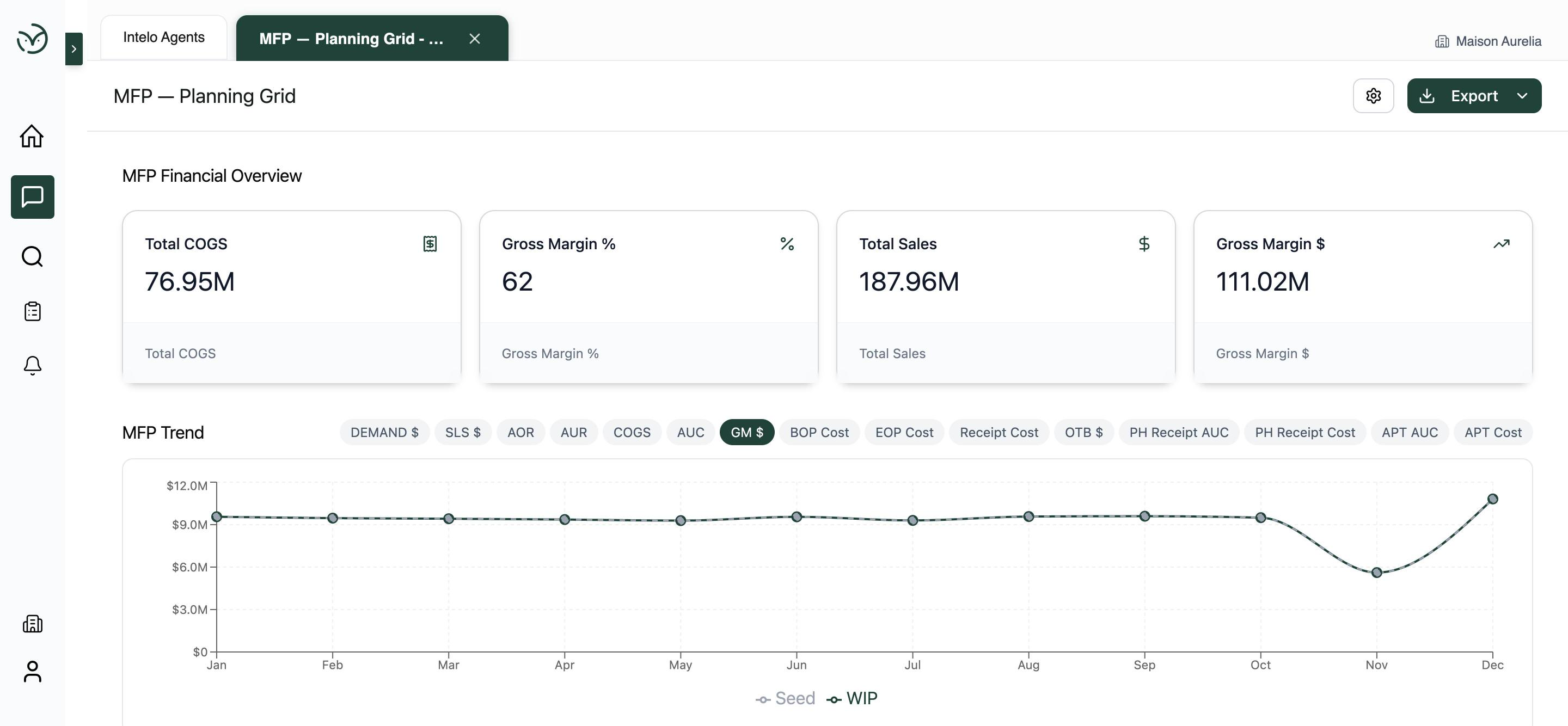
The financial plan at a glance.
Total sales, cost of goods, gross margin, and gross margin percent across the plan. The MFP trend chart compares Seed (the baseline plan) against WIP (work in progress) in-place, so planners see where the plan is drifting before it does.
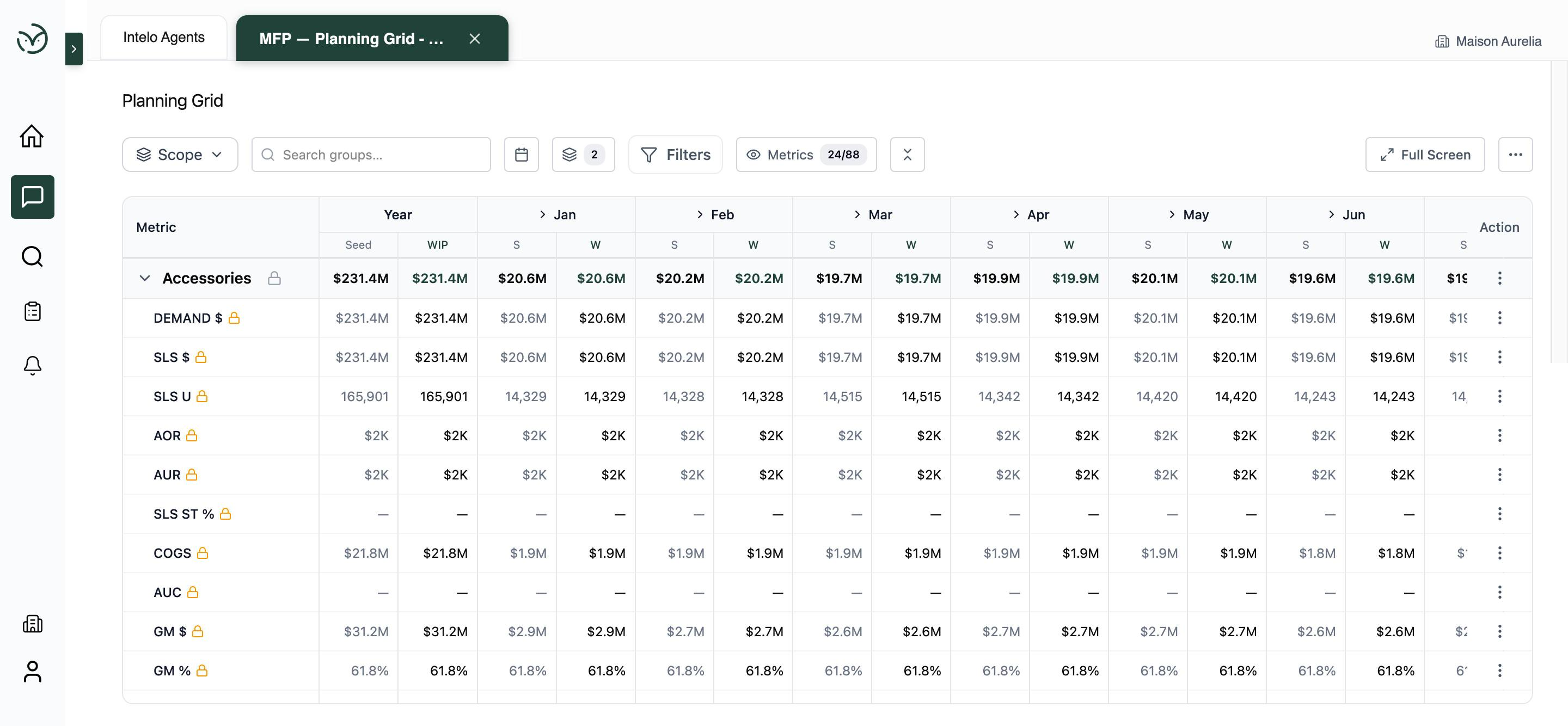
Every metric, every month, Seed vs. WIP.
The full planning grid shows demand, sales, AOR, AUR, sell-through, COGS, AUC, and gross margin at every hierarchy level, with Seed and WIP compared side by side across the year. Edits propagate; locked metrics stay locked.
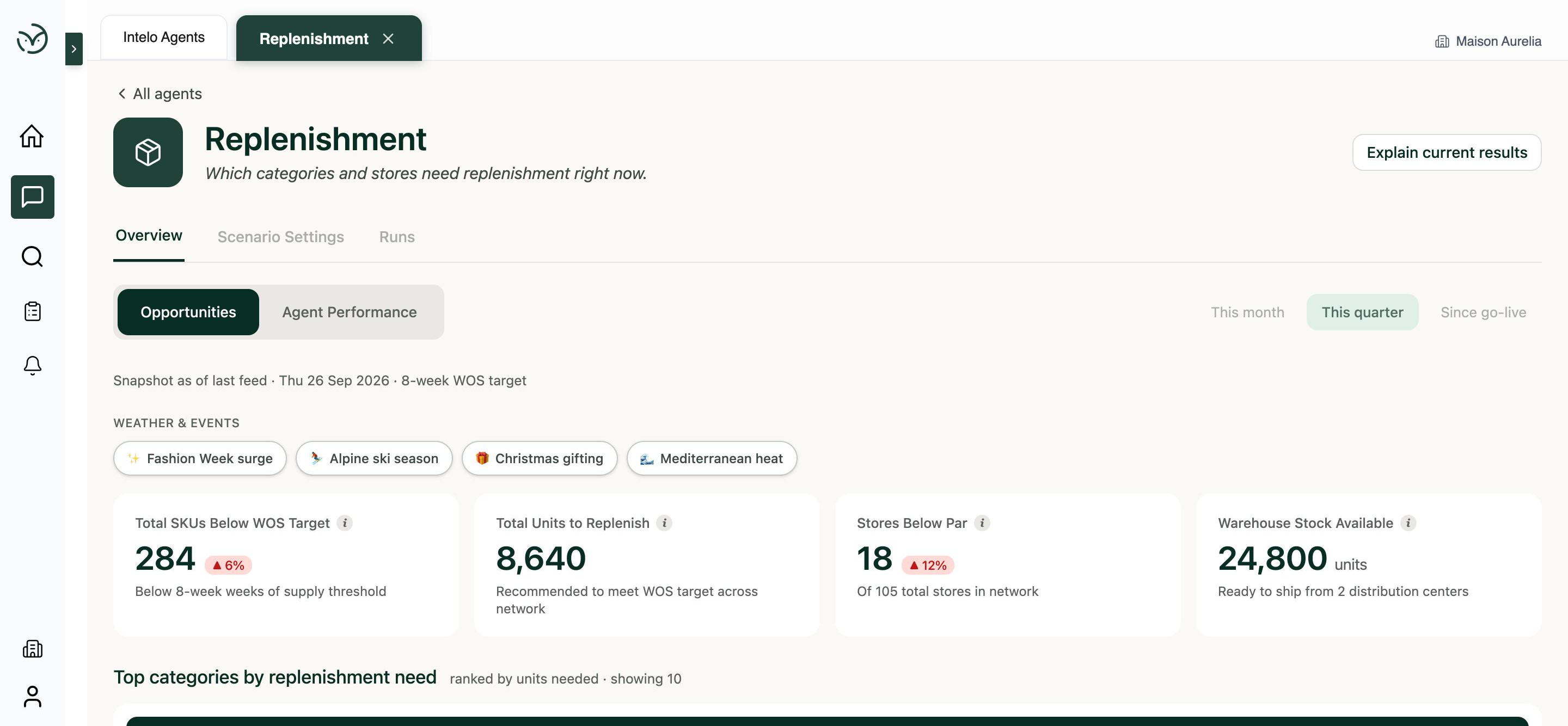
What to replenish, with weather and events in the view.
SKUs below weeks-of-supply target, stores below par, units ready to ship. Weather and event signals (Fashion Week, Alpine ski season, Mediterranean heat, Christmas gifting) sit in the header so the planner sees the context before approving a plan.
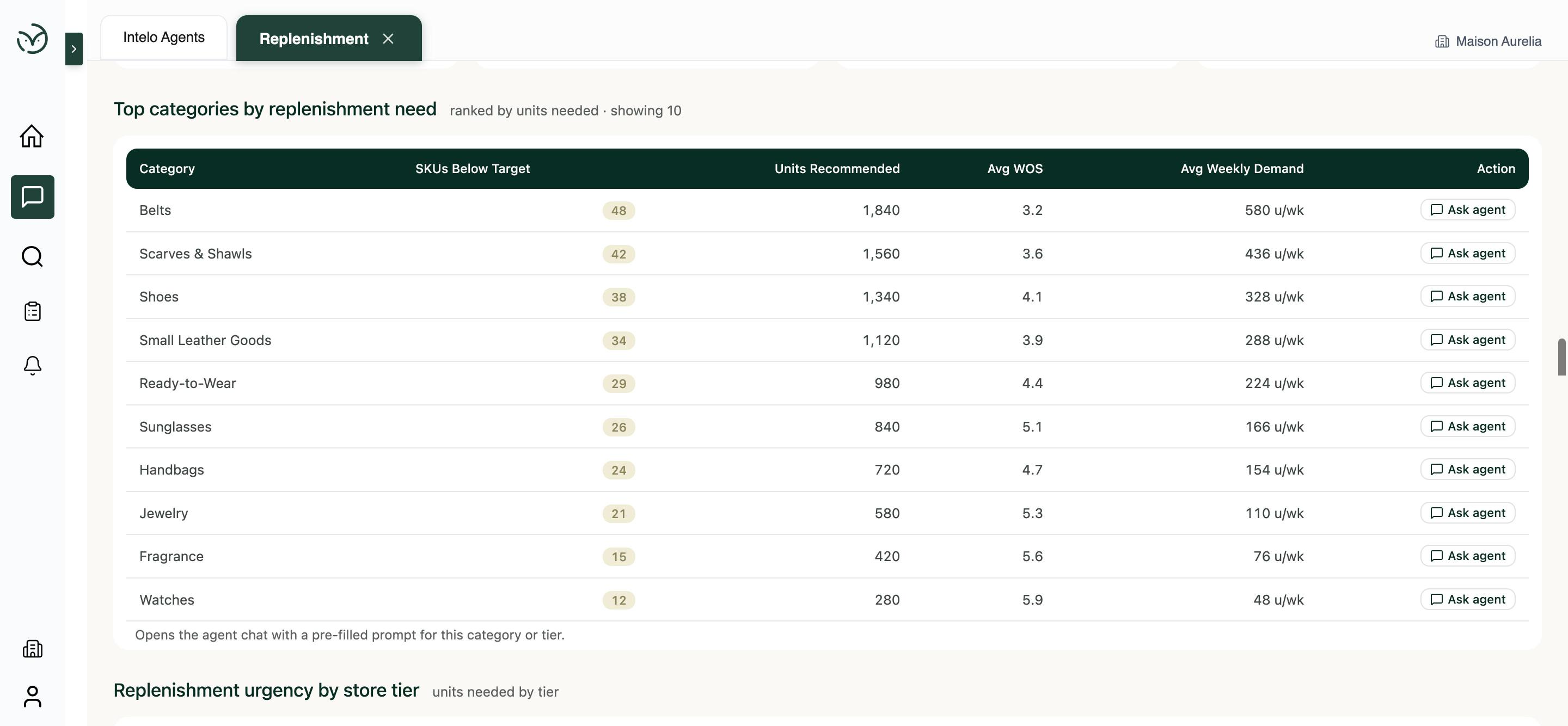
A ranked action list, with one click to the agent.
Categories ranked by replenishment need, with units recommended, average weeks-of-supply, and weekly demand. Every row has an Ask Agent shortcut that opens a chat primed with that category's context, so there is no copy-pasting between tools.
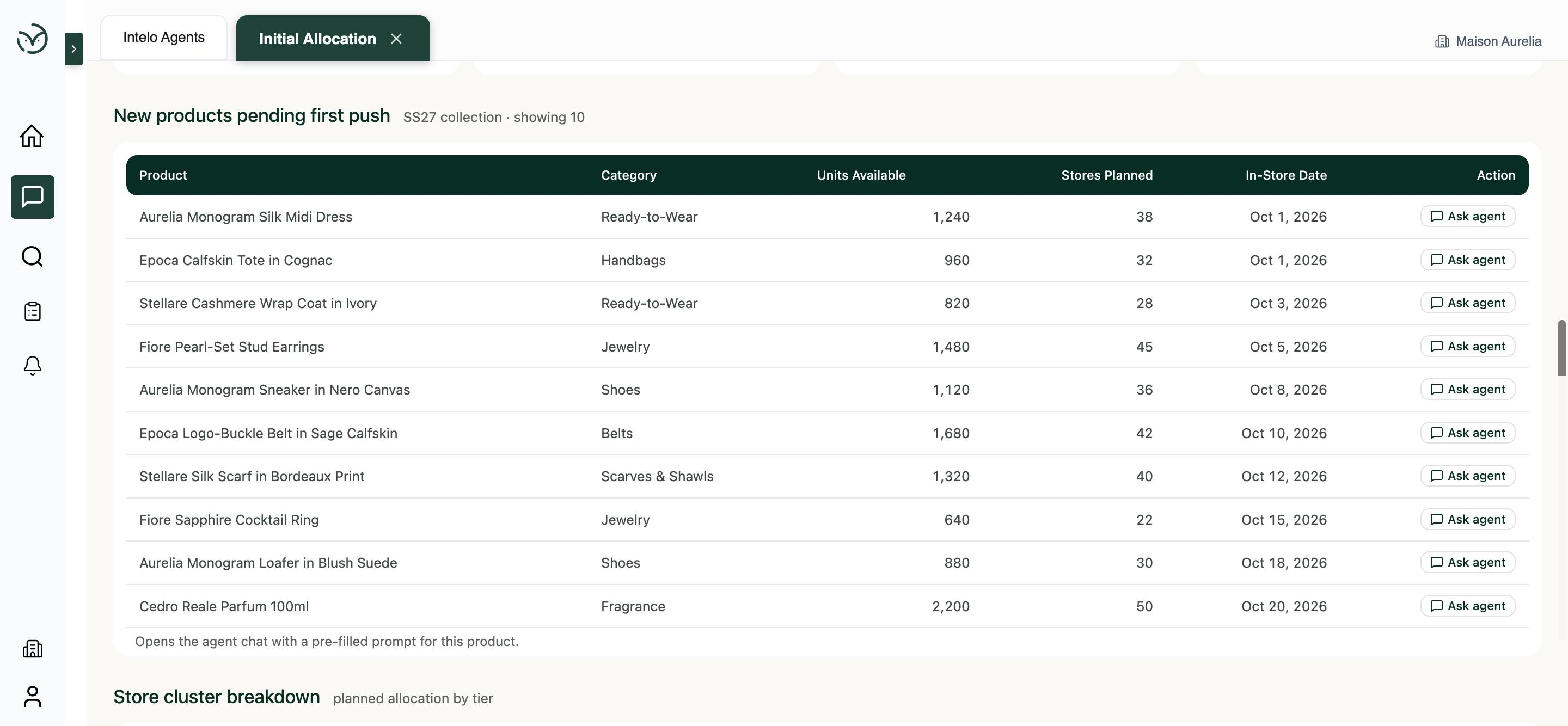
First push for every new product in the collection.
Per-SKU recommendations for the first push into stores, with units available, store count, and in-store dates for the current season drop. Every item is an Ask Agent click away from the detail planners need to approve or adjust.